

Access Genimi AI Tools Right From Google Classroom
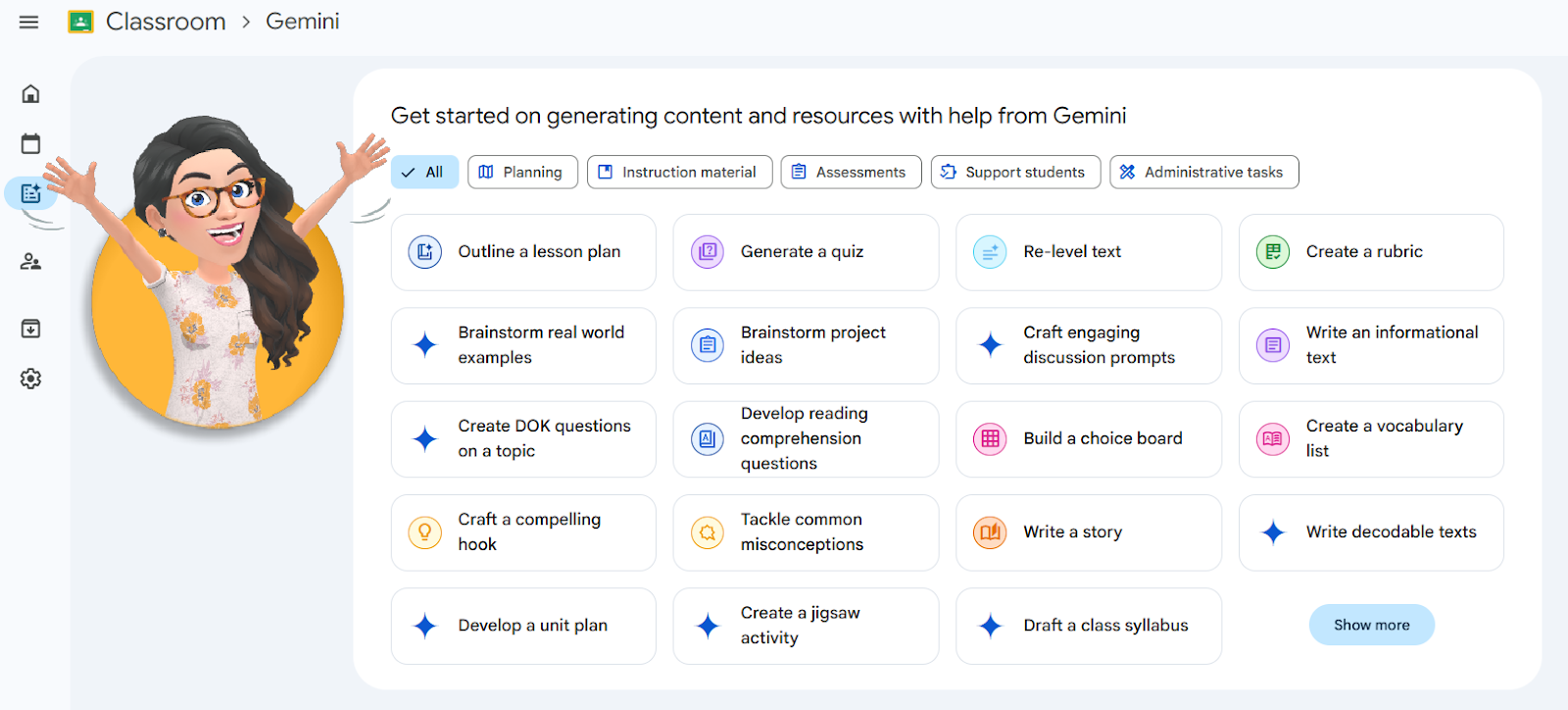
Google Classroom and Gemini AI Tool Tutorial
What is Gemini?
- Google Gemini is an artificial intelligence created by Google that can understand and create text, images, and even computer code. Think of it as a helpful digital partner that you can chat with to get help on homework, brainstorm creative ideas, or find answers to your questions.
What will I see in this video?
- You will see many different types of AI tools and specifically learn how to use the leveled text feature. There are many other tools; this is just one. However, all of the tools include supportive prompting to create the resource you need.
What if I don’t use Google Classroom as a learning management tool for my students? Can I still use this feature?
- Yes, you can still use this feature even if you are not using Google Classroom with your students. If you would like to learn more about using Google Classroom with your students, please don’t hesitate to contact us.
Is the information I include being used to train the large language model?
- Your Lancaster-Lebanon IU 13 chats aren’t used to improve our models. Gemini can make mistakes, so be sure to double-check. Your privacy & Gemini
Before using AI remember…
- What sites can I use?
Go to AI Privacy and Safety Checks
- What grade levels can use AI tools?
Go to AI Privacy and Safety Checks
- What does PII mean?
Personally Identifiable Information (PII) about students, staff, themselves or IU13 Proprietary Documents. Here's a list of PII elements that should never be shared with AI systems.
Please do not hesitate to reach out for help with STEM and Instructional Technology by using our ecses-it@iu13.org email.
Frequently used links:
ECSES Instructional Software programs
Technology Tools sign-out sheet
Maker Space Inventory of Materials
Your ECSES STEM and IT Team


